
How To Extract Email Address Data From YouTube?

 how-to-extract-email-address-data-from-you-tube-jpg

Many people are looking for newsletter subscribers as well as there are many ways of doing that. In this blog, we will share with you a well-organized method, which helps you search for right targets.

Let’s take this look step-by-step. Visualize you’re a programmer as well as you’re concerned about developing web apps using Laravel Framework as well as you wish to share that with the people or selling that or whatever you need.

Therefore, you need to search YouTube for an associated video. For instance:

So, now we need to extract all comments from this video but HOW?

Google has given an API, which we can utilize to do work like this. That code snippet could help us do whatever we wish:

$.ajax({
        dataType: "jsonp",
        type: 'GET',
url: "https://www.googleapis.com/youtube/v3/commentThreads?key=PUT-YOUR-KEYXXXXXXX&textFormat=plainText&part=snippet&videoId=PUT-YOUR-VIDEO-ID",
        success: function(result){
            data = result;
            $('.data').text(data);
            console.log(data);
    }});

You will have your keys from here.

After scraping data, you’ll go for a technique to choose only email Ids from a string content. Many open source codes are there and you can utilize them or you can write your personal => example

For non-programmers:

You can utilize YouTube Comment Scraper from Web Screen Scraping as it’s easily usable. Just enter links of the videos and click Extract. You could download comments in different formats like JSON and CSV.

Let’s a try it on the example given above:
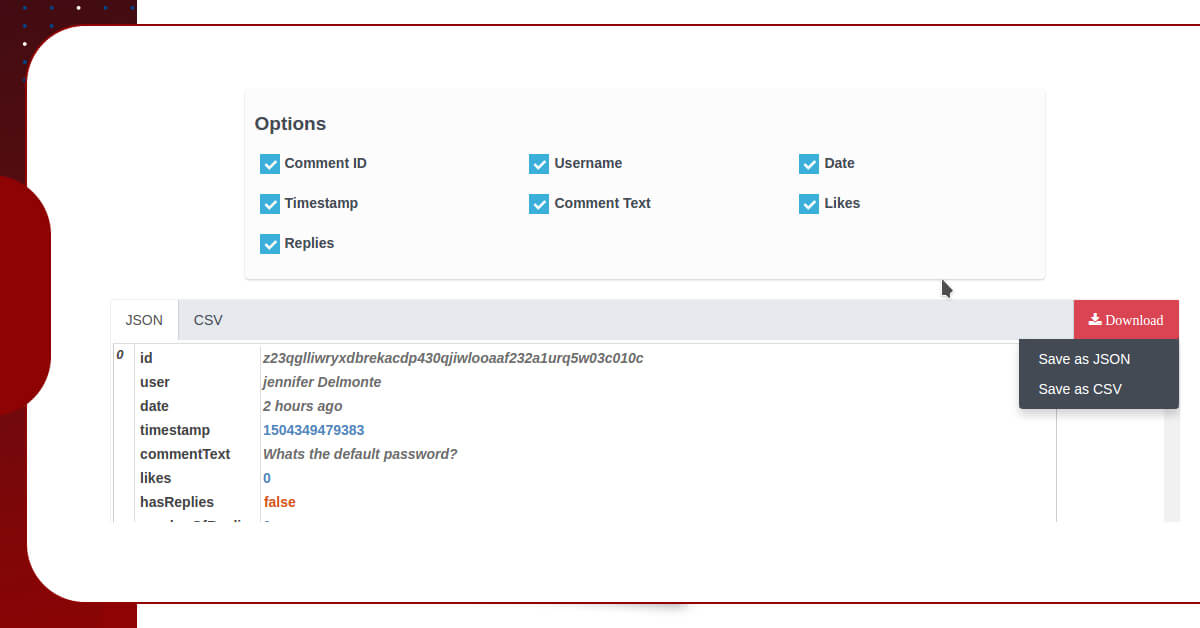
lets-a-try-it-on-the-example-given-above

You can download a JSON file as well as copy and paste a JSON file in this YouTube Email Address Extractor or Email Service Scraper to choose email addresses only.
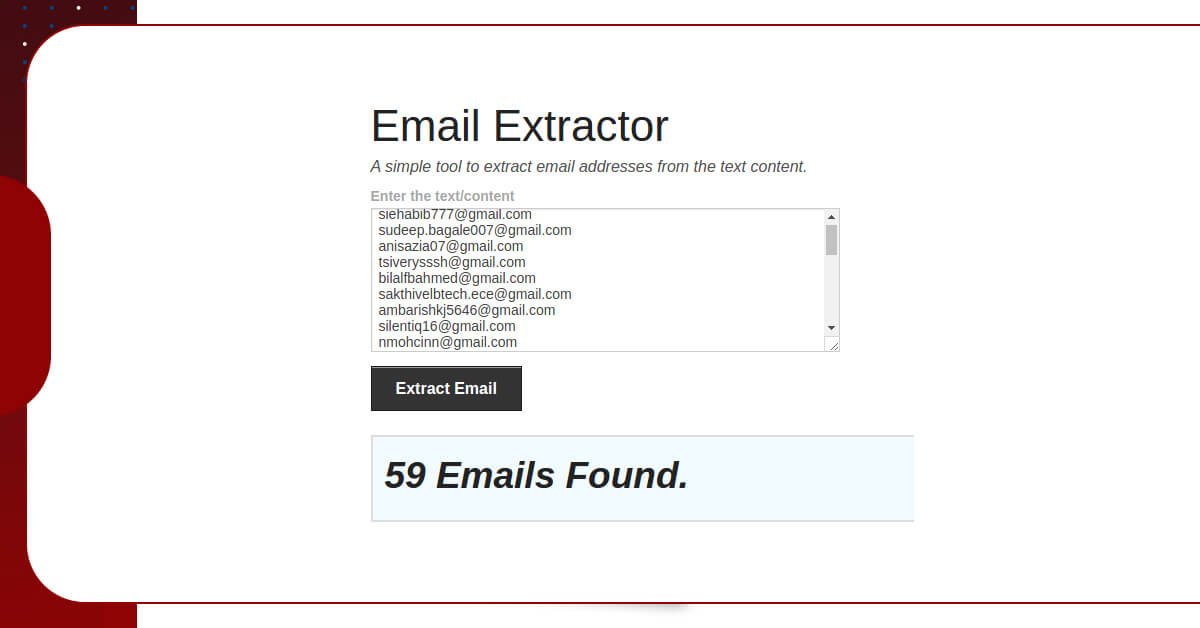
to-choose-email-addresses-only

If you have any queries or want to know more about our YouTube Email ID Scraper then contact Web Screen Scraping or ask for a free quote!

Comments

Popular posts from this blog

Scrape OTT Media Platform Using Web Scraping

Scrape OTT Media Platform Data  What are OTT Platforms? There have been massive changes in the platform of OTT. There are many over platforms needed for media services or the apps that we used on mobiles for viewing all the video content. These are the services that are offered to users of the internet. These are the main platforms that have changed in the years. It can be started with Amazon Prime Video Streaming across the world. OTT platforms have changed in such a way that it looks at entertainment. Top on the video demands for the platform that can be used lots of data and can crunch a lot of numbers on different levels so that we can provide perfect content to clients. There are many platforms like Amazon Prime,  Netflix,  HotStar is getting scraped, so we are following that process in which you can scrape the data from OTT Media Platforms Crawling. Talking about the data is everywhere and it is used by many companies that will able to make all video content from di...

How To Extract Booking.Com Data For Hotels?

  This tutorial blog will tell you how to extract booking.com data for hotels with Selectorlib as well as Python. You may also use to scrape hotels data from Booking.com. How to Extract Booking.com? Search Booking.com for the Hotels data with conditions like Locations, Room Type, Check In-Check out Date, Total People, etc. Copy the Search Result URL as well as pass that to the hotel scraper. With the scraper, we would download the URL with Python Requests. After that, we will parse the HTML with Selectorlib Template for scraping fields like Location, Name, Room Types, etc. Then the scraper will save data into the CSV file. The hotel scraper will scrape the following data. You can add additional fields also: Hotel’s Name Location Room Type Pricing Pricing For (eg: 2 Adults, 1 Night) Overall Ratings Bed Type Total Reviews Rating Tile Links Installing the Packages Required to Run a Booking Data Scraper We would require these Packages of Python 3 Python Requests to do requests as well ...

How Can You Monitor Prices On Car Dealership Websites?

  H Introduction The vehicle industry is flourishing in every country, including the United States. According to NADA, the 16,795 franchise dealers in the United States sold over 8.6 million light-duty cars in 2018. The total value of new car sales has surpassed $500 billion. Dealerships had requested 155 million repairs in total with $58 billion in sales of parts and services. The area-specific automotive dealer directories are not available, so most information must be gathered through personal contacts or a Google search for a specific place. If you want to scrape data about Price Monitoring from car dealer websites, you can utilize Google as well as the keywords that should include "car dealer," as well as the location and the business name of the automobile. You can attempt scraping data from the first several URLs that are not Google-approved. An excel sheet can be used to repeat the process for multiple regions and car companies. The effectiveness and scale of manually...